Talk to Dopppel out loud
Your hands are full, you are walking, or what you want to say is long. Now you can skip the typing and talk to Dopppel like a person.

Typing is not always the easy way. Maybe you are cooking and your hands are messy. Maybe you are out on a walk. Maybe the thing you want to ask is long, and typing it on a small phone screen feels like work.
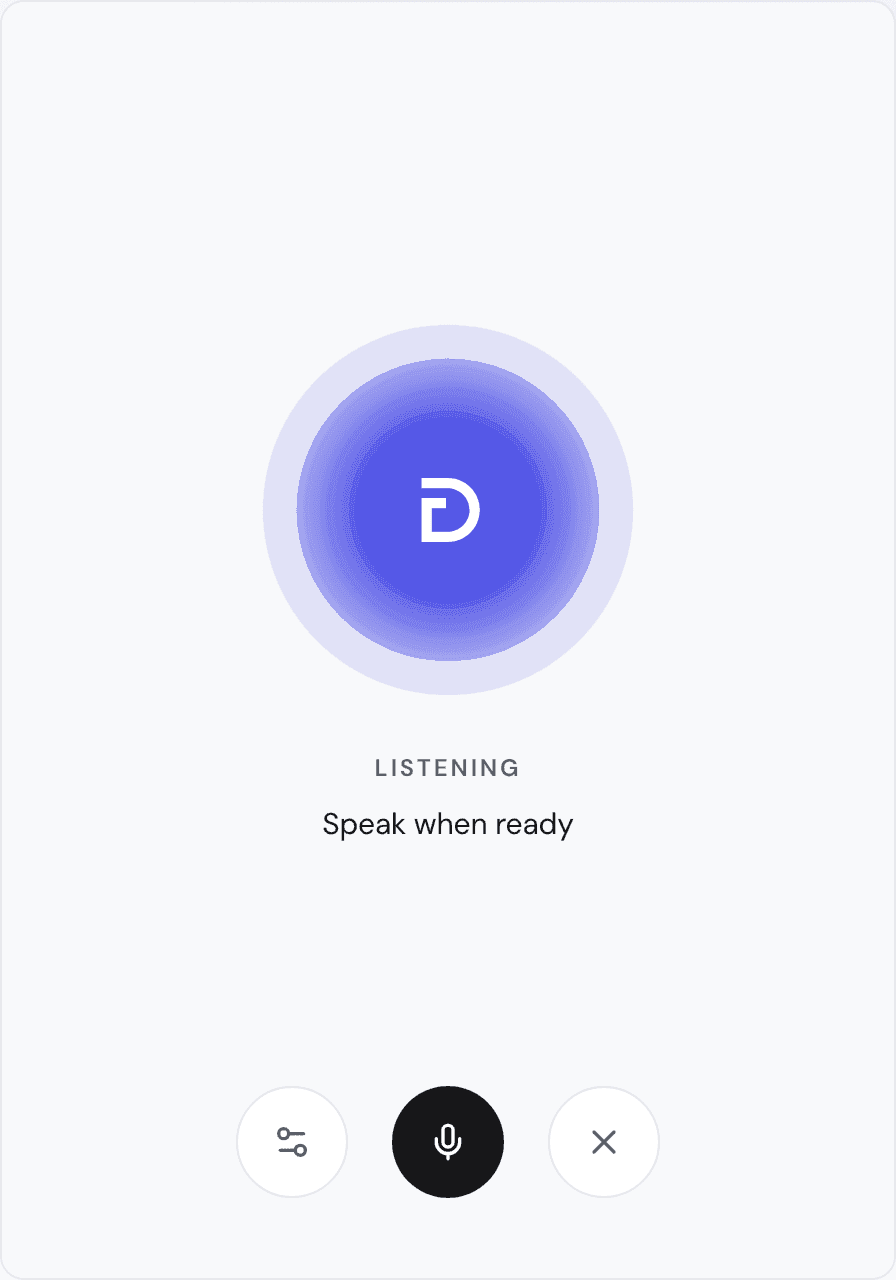
Today you can talk to Dopppel out loud. Tap the voice button next to the message box and say what you want. Dopppel listens and answers out loud. Then you say the next thing, the way you would with a friend.
A real back-and-forth
You do not have to say things a special way. Just talk in plain words. Dopppel answers, and you can ask a follow-up right away. When you would rather type, stop and type instead. Just want to say one message? Tap the small mic. Your words go into the box, and you press send yourself.
Hear it and read it
Everything you both say lands in the chat as words too. So you can read along while Dopppel talks, and read it again later. Signed out, a call is not saved. Leave the page and it is gone, the same as a typed chat.
Want a different voice? In a full-screen call, tap the settings button at the bottom left and pick one from the list. Your pick starts with your next call. You can talk to Dopppel out loud in over 70 languages.
What stays in the typed chat
Most things work out loud. A few live in the typed chat instead, like looking at pictures and scans. Ask for one out loud and Dopppel will say so, then help you there.
Say hello to Dopppel
Voice works the same on a phone as on a computer, and it is free. You can even try it before you make an account. To start, clear the message box, then tap the voice button next to it ("Start voice conversation"). Ask Dopppel what the weather is where you are, and listen.