Invite your friends from Google
Your friends are already in your contacts. Now you can find them on Dopppel, or invite them, from one list.

You want to plan a trip with your friends on Dopppel. But first you have to find each one, type their email, and hope you spelled it right.
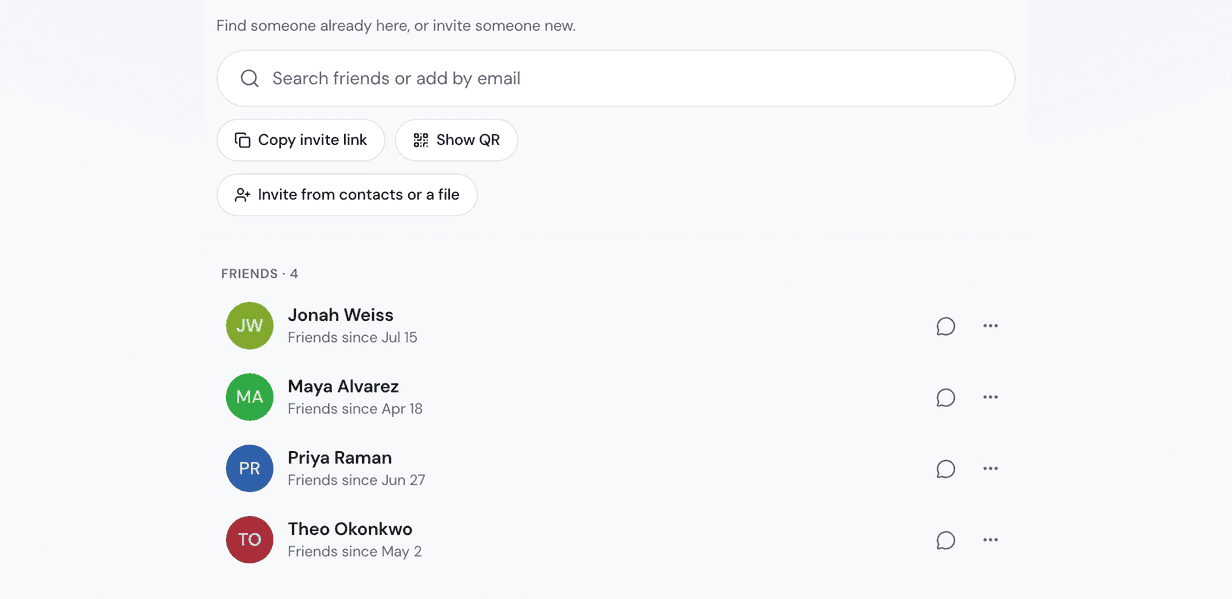
Now you can skip that. On the Friends page, tap "Invite friends from Google" to bring in your Google contacts. Dopppel shows who is "Already on Dopppel" with an "Add friend" button, and "Invite them" for everyone else.
One list, two kinds of friends
The people already here can be your friends in one tap. The people who are not here yet get an invite. Once you are friends, you can start a Gäng together, share a chat, or send them a plan to vote on.
Not on Google? Tap "or a file" to pick people from your phone or a file instead. You can also add more than one Google account with "Add another Google account".
Invite a lot of people at once
Pick lots of people from your contacts, or paste many emails in the box and tap "Send all". Big lists go out over a few hours, and you can tap "Stop" any time. If someone does not join, we send them one reminder after 3 days, and never more than one.
Only people with an email address come in. People saved with just a phone number are left out, so the list can be shorter than your contacts.
You stay in charge of your contacts
There is no way to search everyone on Dopppel by name, and that is on purpose. To add someone new, you need their email, your contacts, or your invite link in their hands.
Do not want people to find you this way? Open Settings, tap Privacy, and turn off "Let people find me by email". Your friends still see you. Changed your mind about the contacts you brought in? In Settings, under Plugins, you can delete every name and email you brought in.
Open Friends in the side menu
Sign in for free and open Friends in the side menu. Tap "Invite friends from Google" and pick your Google account. Or type one email in the box at the top, or tap "Copy invite link" and send it to a friend. When they are on, tap the round "Say hi" button to start your first chat together.